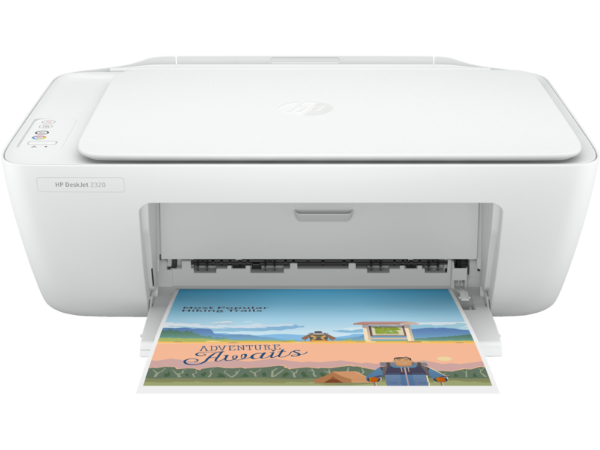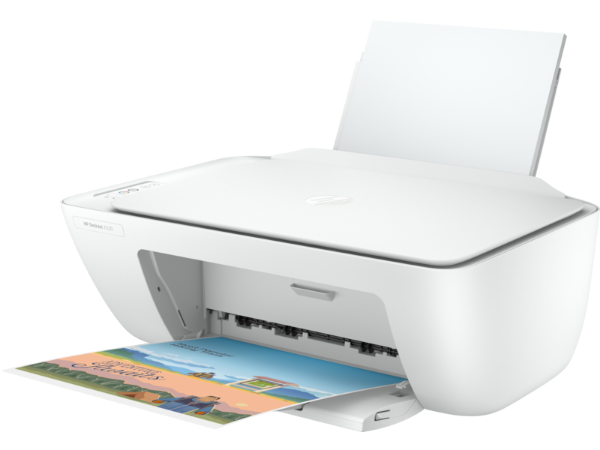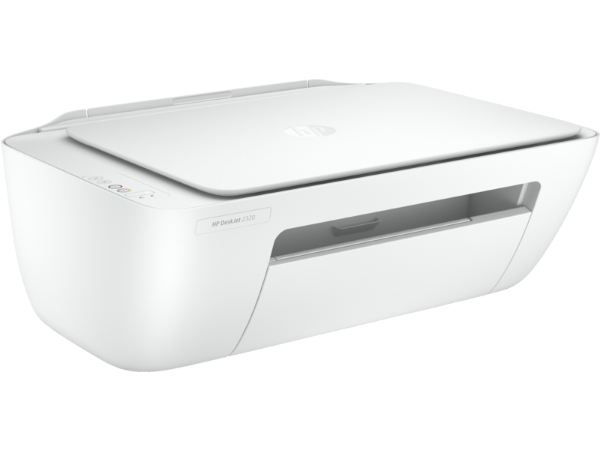


HP DeskJet 2320 All-in-One Printer
HP DeskJet 2320 All-in-One Printer
HP DeskJet 2320 All‑in‑One Printer Price in Kenya, Specifications and Review
The HP DeskJet 2320 All‑in‑One Printer is an affordable and user‑friendly multifunction inkjet printer ideal for home users, students, and light office tasks. The HP DeskJet 2320 All‑in‑One Printer price in Nairobi Kenya ranges from KSh 7,500 – 10,000 for brand new units. With easy setup, good everyday performance, and basic wireless connectivity, this printer offers dependable printing, scanning, and copying for routine document needs.
Great for school projects, personal documents, and casual printing, the DeskJet 2320 combines essential features with budget‑friendly running costs.
Who Should Buy the HP DeskJet 2320 All‑in‑One Printer
• Home users and students needing basic printing
• Families printing documents and photos
• Small offices with light print volume
• Users who want a low‑cost multifunction printer
• Anyone seeking easy setup and simple operation
HP DeskJet 2320 All‑in‑One Printer Price in Nairobi Kenya
| Product | Configuration | Price (KSh) |
|---|---|---|
| HP DeskJet 2320 | All‑in‑One Printer | 7,500 – 10,000 |
HP DeskJet 2320 All‑in‑One Printer Specifications
| Category | Specification |
|---|---|
| Model | HP DeskJet 2320 |
| Printer Type | All‑in‑One Inkjet (Print, Scan, Copy) |
| Print Technology | Thermal Inkjet |
| Print Speed (Black) | Up to 7.5 ppm |
| Print Speed (Color) | Up to 5.5 ppm |
| Maximum Print Resolution | Up to 4800 × 1200 dpi (colour) |
| Scanner Type | Flatbed |
| Scanner Resolution | Up to 1200 dpi |
| Copier | Yes |
| Paper Handling | Input tray |
| Maximum Paper Size | A4, Letter |
| Connectivity | USB, Wi‑Fi |
| Mobile Printing | HP Smart App, Apple AirPrint, Mopria |
| Display | Basic LED indicators |
| Dimensions (W × D × H) | Approx. 425 × 300 × 145 mm |
| Weight | Approx. 2.0 kg |
| Operating System Compatibility | Windows, macOS |
HP DeskJet 2320 All‑in‑One Printer Design and Build
• Compact and lightweight design for home or student desks
• Simple control layout with indicator lights
• Easy‑access ink cartridges for quick replacement
• Quiet operation suitable for shared spaces
HP DeskJet 2320 All‑in‑One Printer Performance
• Reliable everyday print quality for documents and basic photos
• Flatbed scanner for scanning assignments and files
• Copier function for quick duplicates
• Easy setup and intuitive controls
HP DeskJet 2320 All‑in‑One Printer Connectivity
• USB for direct PC connection
• Wi‑Fi for wireless printing from phones and tablets
• Mobile printing via HP Smart App, AirPrint, and Mopria
• Plug‑and‑print simplicity for phones and laptops
HP DeskJet 2320 All‑in‑One Printer Ideal Use Cases
• Printing school assignments and reports
• Scanning important documents
• Copying forms and letters
• Simple photo printing
• Basic home and office errands
HP DeskJet 2320 All‑in‑One Printer Pros and Cons
| Pros | Cons |
|---|---|
| Affordable price point | Not built for heavy workloads |
| Wireless + USB connectivity | Slower print speeds |
| Easy‑to‑use design | Basic LED indicators |
| All‑in‑one (print/scan/copy) | No touchscreen |
| Good quality for everyday tasks |
Frequently Asked Questions about the HP DeskJet 2320 All‑in‑One Printer
• What is the price of the HP DeskJet 2320 All‑in‑One Printer in Nairobi?
The price ranges from KSh 7,500 – 10,000 for brand new units.
• Can the HP DeskJet 2320 All‑in‑One Printer connect wirelessly?
Yes, it supports Wi‑Fi and mobile printing through the HP Smart App, AirPrint, and Mopria.
• Does the HP DeskJet 2320 All‑in‑One Printer have scanning functionality?
Yes, it has a flatbed scanner for scanning and copying.
• Is the HP DeskJet 2320 All‑in‑One Printer good for photos?
It supports colour printing and can print basic photos.
• Is the HP DeskJet 2320 All‑in‑One Printer suitable for home and student use?
Yes, its affordable price and easy setup make it ideal for home and student printing needs.
Product features
Product features
Materials and care
Materials and care
Merchandising tips
Merchandising tips
Share